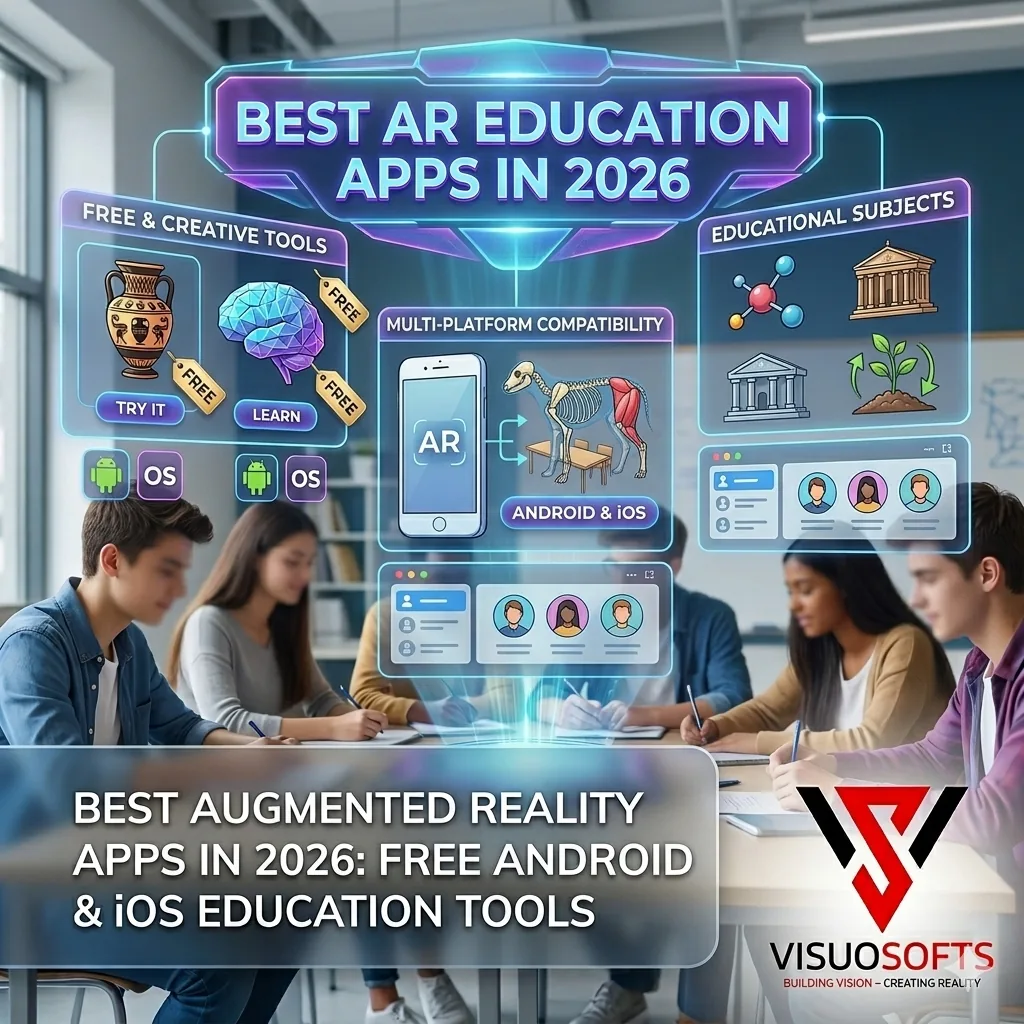
The best augmented reality apps have moved this technology from science fiction to your smartphone pocket. Whether you want a free AR app to explore right now, the best platform for your classroom, or a development framework to build your own AR experiences — this guide covers everything in one place.

What Is Augmented Reality? Definition & Meaning
Augmented reality (AR) is a live, interactive experience in which digital elements — 3D objects, animations, text overlays, or sound — are superimposed onto your view of the real, physical world. This happens in real time, typically through your smartphone camera, tablet, or a dedicated AR headset.
The key distinction that defines augmented reality meaning is the word augmented — meaning added to or enhanced. AR does not replace reality (that is virtual reality's job). It extends it, blending the physical and the digital in a seamless visual layer.
In practical terms, think of pointing your phone at a restaurant menu and seeing calorie counts float above each dish. Or watching a 3D anatomical model assemble itself on your desk via a school app. Or using IKEA Place to place a sofa virtually in your living room before buying it. That is augmented reality in everyday action.
How augmented reality works — in plain English
Your device's camera captures the physical scene. The AR software detects surfaces, spatial depth, and marker points in real time. It then renders digital content — a 3D model, an animation, a data overlay — and composites it onto the camera feed at the correct scale and perspective. The result appears on your screen as if the digital object physically exists in your space.
Modern AR relies on several core technologies working together: simultaneous localisation and mapping (SLAM) for spatial awareness, depth sensors or LiDAR for accurate surface detection, computer vision for object and marker recognition, and 6-DOF (six degrees of freedom) tracking for precise real-world anchoring. Platforms such as Apple's ARKit and Google's ARCore bring all of this to consumer smartphones without any specialist hardware.
Augmented Reality vs Virtual Reality: What's the Difference?
These two terms are frequently confused, and it matters for choosing the right app. The simplest distinction:
| Feature | Augmented Reality (AR) | Virtual Reality (VR) |
|---|---|---|
| Real world visible? | Yes — digital overlaid on real | No — fully immersive digital environment |
| Hardware required | Smartphone, tablet, or smart glasses | Dedicated VR headset (Oculus, Vision Pro) |
| Entry cost | Free apps — any modern smartphone | £300–£3,500+ for headset |
| Best use cases | Shopping, education, navigation, gaming | Immersive training, gaming, simulations |
| Examples | IKEA Place, Artivive, Google Lens, ARKit apps | Meta Quest games, Apple Vision Pro |
For most consumers and educators in 2026, augmented reality is the practical entry point — it requires no additional hardware purchases beyond the smartphone already in your pocket.
Best Free Augmented Reality Apps in 2026 (Android & iOS)
The best news about augmented reality free in 2026: the top experiences cost nothing to download. Here are the standout apps across every category — all free, all available for download right now.
1. Google Lens
The most widely used AR tool in the world, built directly into Android and Google Photos. Point your camera at text, plants, products, landmarks, or QR codes to instantly translate, identify, or search. It is the best augmented reality app free option for everyday utility — no separate download needed on most Android devices.
2. IKEA Place
IKEA Place is IKEA's flagship AR shopping app, allowing you to visualise true-to-scale 3D furniture models in your own home before purchasing. Built on ARKit (iOS) and ARCore (Android), it automatically scales items to your room dimensions with 98% size accuracy. One of the best-known examples of augmented reality in retail — and a landmark case study in AR commerce. See the full breakdown in the dedicated section below.
3. Artivive
Artivive bridges the physical and digital art worlds. Point the free app at a printed artwork, gallery piece, or mural to trigger an animated digital layer — video, 3D motion, or interactive storytelling — that the artist has attached to that work. Used by 50,000+ artists globally and featured in the Louvre, the Tate, and London's Saatchi Gallery. See the full breakdown in the dedicated section below.
4. Snapchat (AR Lenses)
Snapchat is one of the largest augmented reality platforms in the world, with over 3 million AR Lenses created by developers on its Lens Studio platform. Its face-tracking and world-AR Lenses are used by 306 million daily active users. For brands, Snapchat's AR advertising tools represent one of the most scalable ways to deploy consumer AR in 2026.
5. Google Maps Live View
Google Maps' Live View feature overlays navigation arrows, street names, and destination markers directly onto your camera view in real time. It is one of the most practical augmented reality apps for Android users in everyday life — simply activate it from the Google Maps walking navigation mode. No separate augmented reality app download needed.
6. Pokémon GO
Still one of the most downloaded augmented reality apps of all time, Pokémon GO remains the defining example of location-based AR gaming. Its AR+ mode, built on ARKit, renders Pokémon at real-world scale, allowing players to photograph them in their actual environments with realistic perspective and shadows.
Best Augmented Reality Apps for Education (Free in 2026)
Augmented reality is transforming the classroom in 2026. Research consistently shows that students retain 75–80% of information experienced through interactive AR, compared to 10–20% from passive reading. The following augmented reality apps for education free options are available to any school, teacher, or parent right now.
Merge EDU
Free tier available. Students hold a cube or use any surface to explore 3D science models — human anatomy, ecosystems, space, chemistry. Aligned to UK and US curriculum standards. Best AR app for science education in secondary schools.
Android & iOSGoogle Expeditions (via Tour Creator)
Free. Virtual field trips to historical sites, natural habitats, and space — all accessible via AR on a standard smartphone. Ideal for primary and secondary geography, history, and science lessons.
Android & iOSQuiver Education
Free for core packs. Children colour printed templates, then bring them to life in AR — the drawings stand up, animate, and interact. Bridges creative art with technology in a genuinely magical way for ages 4–12.
Android & iOSMondly AR
Free tier available. Language learning through AR conversations with holographic characters in your real environment. Supports 33 languages. Learners see words labelling the objects around them in real time — one of the most immersive language apps available.
Android & iOSVisible Body — Human Anatomy Atlas
Free preview mode. The definitive AR anatomy app for A-level biology and medical education — 3D models of every bodily system, AR projection onto a physical surface, and interactive dissection layers. Used by 3 million students worldwide.
Android & iOSFroggipedia
Free. Apple's App of the Year winner, Froggipedia uses AR to let students virtually dissect a frog — without the ethical and logistical challenges of physical dissection. The best example of AR replacing a real-world lab process entirely.
iOS (ARKit)Why AR works in education — the data
- AR learning experiences improve student engagement by up to 400% vs traditional instruction
- Many educators who have used AR report improved student comprehension of difficult concepts
- Students using AR tools for STEM subjects tend to outperform peers using textbooks alone, though published effect sizes vary between studies
- AR reduces cognitive load for visual learners — abstract 3D concepts become tangible spatial experiences
Artivive: The Augmented Reality App for Art & Culture
Artivive is the world's leading augmented reality platform for fine art. Founded in Vienna in 2017, it has become the go-to tool for artists, galleries, and cultural institutions seeking to add a digital layer to physical artworks.
How Artivive works
The process is remarkably simple. An artist creates a digital animation, video, or 3D experience using any tool — After Effects, Blender, Cinema 4D, or even a phone-recorded video. They upload it to the Artivive Bridge web platform and link it to an image of their physical artwork (the trigger image). When a viewer points the free Artivive app at that artwork — on a gallery wall, in a catalogue, or on a postcard — the digital layer plays on screen as if it were physically present.
Artivive pricing
The Artivive app is completely free to download on both Android and iOS — anyone can use it to view AR artworks with no sign-up required. For artists, Artivive offers a free Basic plan (one active artwork) and paid plans for professional use, starting at approximately €19/month for unlimited artworks and analytics.
Who uses Artivive?
Artivive has been used by institutions including the Louvre Paris, the Saatchi Gallery London, Christie's auction house, and the Vienna Kunsthistorisches Museum. For independent artists, it provides a way to add a dynamic dimension to static work without specialist technical skills. Street artists, printmakers, and photographers all use it to create AR experiences that unlock when viewers scan their work with the app.
Getting started with Artivive — free in 3 steps
- Download the Artivive app free from Google Play or the App Store
- Register a free account at bridge.artivive.com and upload your trigger image + digital layer
- Share your physical artwork — anyone with the free app can scan it to see your AR layer
IKEA Place: AR for Home Design & Furniture Shopping
IKEA Place is the most commercially successful augmented reality retail app ever built. Launched in 2017 as one of the first apps to use Apple's ARKit framework on launch day, it has since been updated with ARCore support for Android and expanded to show over 3,000 products.
What makes IKEA Place stand out
- True-to-scale rendering: IKEA Place uses your device's AR sensors to render furniture at exactly the right size — a 2m sofa appears as a 2m sofa, not a shrunken model
- Photorealistic textures: Fabrics, wood grains, and finishes are rendered using IKEA's high-resolution product photography and custom shader technology
- Room persistence: Furniture stays anchored in place as you walk around it, crouch down, or view it from different angles
- Direct purchase: Place an item you like directly into the IKEA cart within the app and complete checkout without leaving AR mode
According to IKEA's own research, customers who used IKEA Place were 11 times more likely to complete a purchase than those who used the standard product catalogue. Returns also dropped by 35% among AR-assisted buyers — a significant commercial justification for the technology.
How to use IKEA Place
The augmented reality app download is free from both the App Store (iOS) and Google Play (Android). Open the app, point your camera at the floor, and the app detects your room surface. Browse the IKEA catalogue, select any product, and tap to place it in your space. You can scale, rotate, and reposition items freely before saving a photo to share or adding to your basket.
Top Augmented Reality Platforms in 2026
Behind every great AR app is a platform providing the core tracking, rendering, and development infrastructure. Here are the key augmented reality platforms that power the experiences above — and that developers use to build new ones.
ARKit (Apple)
Apple's native AR development framework for iOS and iPadOS. ARKit powers everything from IKEA Place to Pokémon GO's AR+ mode and Froggipedia. It provides world tracking, face tracking, image recognition, LiDAR scanning (on Pro devices), and RealityKit integration for high-fidelity rendering. The definitive AR platform for augmented reality apps for iOS.
ARCore (Google)
Google's equivalent framework for augmented reality apps for Android. ARCore provides motion tracking, environmental understanding (surface detection, lighting estimation), and anchors — the ability to attach virtual objects to real-world coordinates. Available on 400+ Android devices. Powers Google Lens Live View, Google Maps AR navigation, and Android AR shopping experiences.
Snap Lens Studio
Snapchat's professional AR creation platform, enabling developers and brands to build face Lenses, world Lenses, and try-on experiences for Snapchat's 300M+ daily users. One of the most accessible augmented reality platforms for marketing and brand activations, with advanced body tracking, hand recognition, and AR commerce integration.
Snap Lens Studio (Snapchat AR)
Snap's creator platform for AR lenses on Snapchat, and the main route into social AR now that Meta closed Spark AR to third-party creators in January 2025. Lens Studio is free to use — brands publish AR experiences that users access directly within the Snapchat camera, no separate app needed.
8th Wall (WebAR)
8th Wall enables browser-based AR — experiences that run directly in any mobile browser without requiring an app download at all. This is the future of accessible augmented reality: a user scans a QR code, the browser opens, and AR launches instantly. Used by Nike, Pepsi, and L'Oréal for campaign activations requiring zero installation friction.
ARKit: Apple's Augmented Reality Framework Explained
ARKit is Apple's proprietary framework for building augmented reality experiences on iPhone and iPad. Introduced in 2017 with iOS 11, it has expanded across six major versions and now represents the most capable consumer AR platform available on any mobile device.
Key ARKit capabilities in 2026
For developers, ARKit is integrated into Xcode and paired with Apple's Reality Composer Pro tool (free with Xcode), enabling visual construction of AR scenes without writing all logic from scratch. ARKit apps are distributed via the App Store like any other iOS application.
Augmented Reality App Development: What You Need to Know
Augmented reality app development has become dramatically more accessible in 2026. The combination of mature SDKs, no-code AR tools, and AI-assisted development means that the gap between idea and shipped AR experience is smaller than ever. Here is a realistic overview for anyone considering building an AR app.
Choose your development path
| Approach | Best for | Key tools | Cost |
|---|---|---|---|
| ARKit (native iOS) | iOS-first, high performance | Xcode, Swift, RealityKit | Free (Mac + Apple dev account £79/yr) |
| ARCore (native Android) | Android-first, broad device reach | Android Studio, Kotlin/Java | Free |
| Unity + AR Foundation | Cross-platform (iOS + Android) | Unity, C#, AR Foundation | Free personal tier; £185/mo pro |
| 8th Wall (WebAR) | No-install browser AR campaigns | JavaScript, A-Frame, Three.js | From $99/mo |
| Artivive / Zappar (no-code) | Marketers, artists, educators | Visual editors, no coding | Free tiers available |
AR development costs in 2026
For a bespoke augmented reality app development project with custom 3D models, surface tracking, and multi-platform deployment, realistic budget ranges are:
- Simple marker-based AR app (iOS or Android): £8,000–£20,000
- Mid-complexity AR app with custom UI and 3D models: £20,000–£60,000
- Full cross-platform AR commerce or enterprise solution: £60,000–£200,000+
- WebAR campaign (8th Wall, no native app): £5,000–£25,000
Need a custom AR solution for your business?
Visuosofts builds AR web experiences, product visualisers, and AR marketing campaigns for UK SMBs — at startup-friendly prices. Let's talk about what AR can do for your brand.
Get a free AR consultation →Frequently Asked Questions About Augmented Reality Apps
What is augmented reality? +
Augmented reality (AR) is a technology that overlays digital content — 3D models, text, animations, or data — onto your real-world view through a device's camera, typically in real time. The augmented reality meaning comes from the word "augment" — to add to or enhance. Unlike virtual reality, AR does not replace your physical surroundings but enhances them with digital information. Common examples include Google Lens, IKEA Place, and Snapchat AR Lenses.
What is the best free augmented reality app? +
The best augmented reality apps free in 2026 include: Google Lens (general utility, built into Android), IKEA Place (furniture visualisation), Artivive (art experiences), Merge EDU (science education), and Snapchat (AR Lenses and social). All are free to download on Android and iOS. For the best augmented reality app free overall utility for daily life, Google Lens is unmatched.
What is the best augmented reality app for Android? +
The best augmented reality apps for Android in 2026 are: Google Lens (pre-installed on most Android devices), IKEA Place (home design), Google Maps Live View (AR navigation), Artivive (art), and Pokémon GO (gaming). All require an ARCore-compatible Android device, which covers the majority of Android phones made after 2018.
What are the best augmented reality apps for education? +
The best augmented reality apps for education free include Merge EDU (3D science models), Quiver (colouring + AR for young children), Google Expeditions (virtual field trips), Mondly AR (language learning), and Visible Body (anatomy). All have free tiers and are available on both iOS and Android.
How do I download an augmented reality app? +
Augmented reality app download works exactly like any other app. On Android, search the Google Play Store for your chosen AR app (e.g. "IKEA Place", "Artivive", "Merge EDU") and tap Install. On iOS, search the App Store and tap Get. Most AR apps are free to download. Your device must support AR: iPhones 6s and later with iOS 11+, and Android devices with ARCore support (most phones from 2018 onwards).
What is the best augmented reality app for iOS? +
The best augmented reality app iOS experiences in 2026 take advantage of Apple's ARKit and LiDAR on Pro iPhones. Top picks: IKEA Place (definitive AR shopping), Froggipedia (AR science — Apple App of the Year), Artivive (art), Reality Composer (build your own AR scenes free), and Pokémon GO AR+ (gaming). iPhone 12 Pro and later deliver the best AR experience thanks to LiDAR depth sensing.
What is ARKit and how does it work? +
ARKit is Apple's augmented reality development framework, built into iOS and iPadOS. It gives developers the tools to build AR experiences for iPhones and iPads, enabling surface detection, 6DOF motion tracking, face recognition, real-world occlusion (objects passing behind real-world surfaces), and LiDAR-powered instant plane detection on supported devices. ARKit powers the majority of the best-rated AR apps on the App Store.
The bottom line: augmented reality is ready for everyone in 2026
Augmented reality is no longer an emerging technology requiring specialist hardware or technical expertise. The best AR experiences available in 2026 are free, already installed on devices most people carry, and instantly accessible through a simple app download. Whether you want to visualise furniture before buying, animate your artwork, bring a classroom to life, or build your own AR product — the tools exist, they're proven, and most of them cost nothing to start.
The key platforms to know are ARKit for iOS development, ARCore for Android, Artivive for art and culture, IKEA Place as the gold standard for retail AR, and Merge EDU for education. Across all of these, the common thread is the same: the digital layer is no longer separate from physical reality. It lives inside it — and it's free to explore.
Written by Husnain Mahavia
Digital marketing strategist and full-stack developer at Visuosofts. Specialising in SEO, web performance, and emerging technology for UK SMBs. Covering digital trends since 2017.